
Bulk Edit Thousands of Products in Minutes — With Zero Risk
The smartest, safest Shopify bulk editor with live preview, instant undo, and scheduled automation.
Tired of spending hours updating prices, inventory, and tags one by one?
HIGHLIGHTHK Bulk Product Editor lets you edit thousands of products in minutes with live preview and instant undo.
No more risky mass edits. No more Excel copy-paste disasters.
Schedule changes in advance and let automation handle the rest.
Welcome
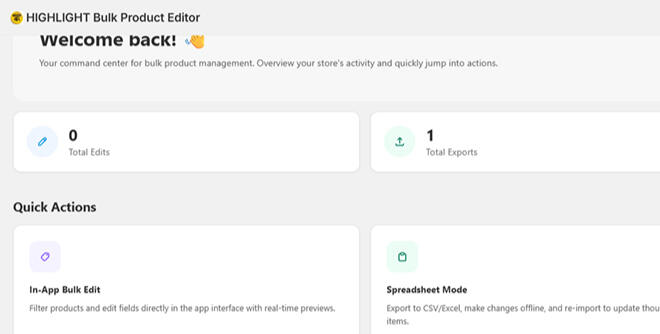
"Welcome back!"The dashboard gives you a quick overview of your recent activity, showing the total number of edits, exports, and imports. Below, Quick Actions provide three convenient options to manage your products — edit directly in the app, work in spreadsheet mode, or export your data. If you have any questions, you can reach out to the support team from the bottom section.
Product listing
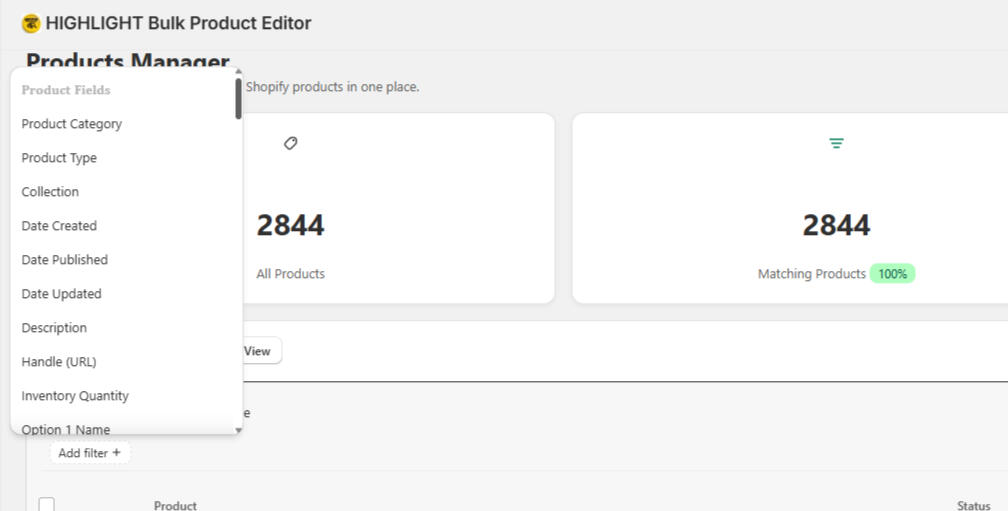
In the Products Manager, your entire Shopify catalog comes together in one clean, organized space. At the top, a quick overview shows the total number of products alongside how many currently match your selected filters. On the left, a flexible sidebar lets you narrow down your products by category, type, collection, and more, while the main table displays each item with its status, price, SKU, and inventory at a glance. Whether you're preparing to bulk edit, export data, or simply review your catalog, everything is designed to help you move through your products with clarity and ease.
Bulk product edit in seconds
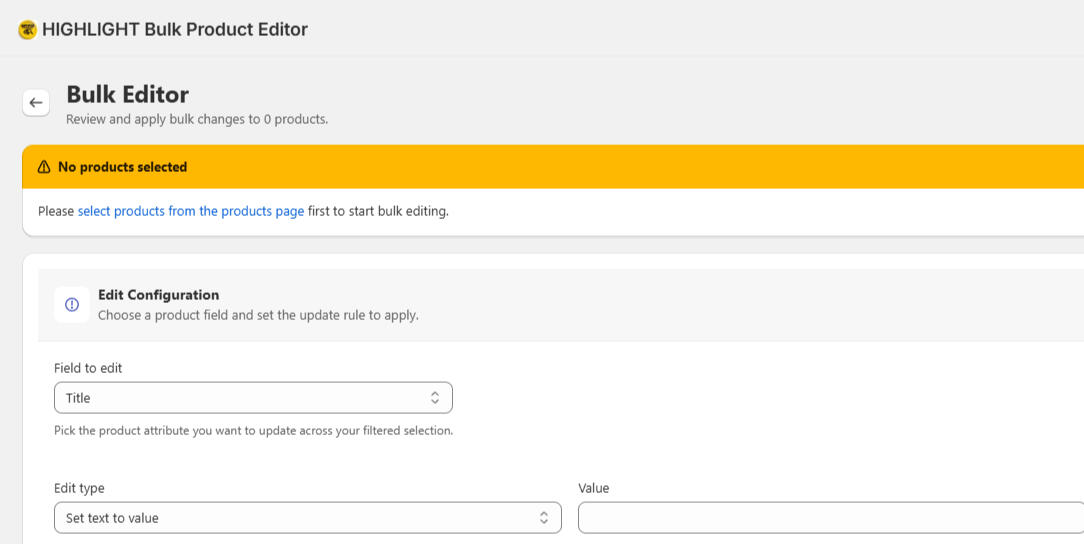
In the Bulk Editor, managing your products becomes effortless. Whether you need to update titles, prices, or inventory across hundreds or even thousands of items, you can do it all in just a few clicks. Simply select the field you want to edit, set your desired value, and instantly preview the changes before applying. With powerful bulk editing tools at your fingertips, you can save hours of manual work and keep your store updated with ease — all from one clean, intuitive interface.
Bulk update
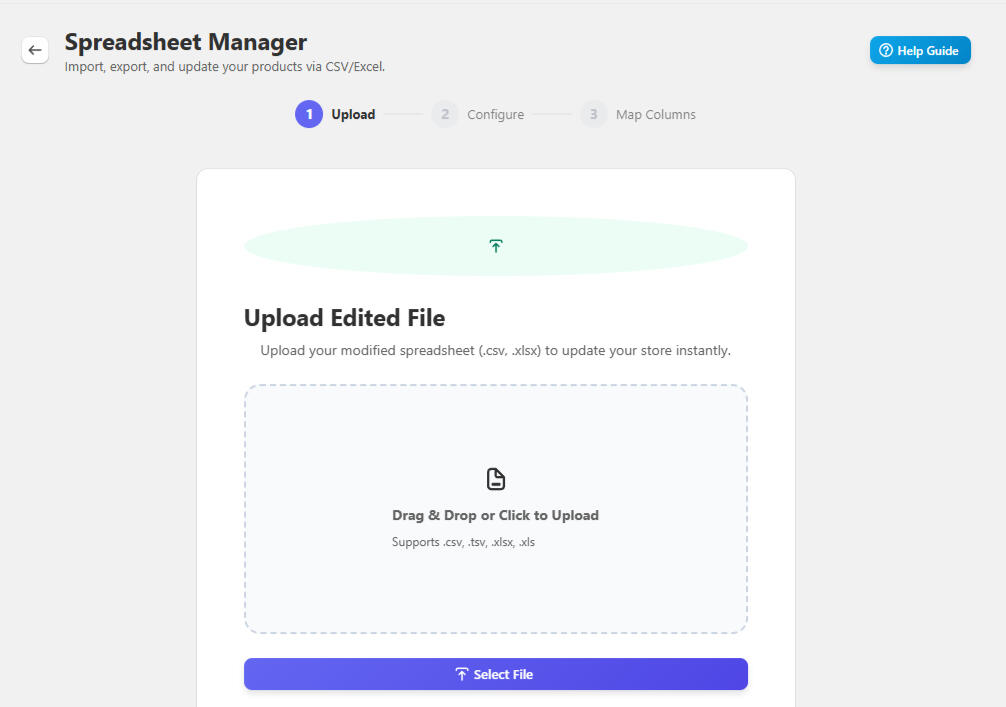
The Spreadsheet Manager offers a smooth and efficient way to update your current product data. A clear bar shows the update progress.only invites you to drag and drop your edited CSV or Excel file, or simply click to select it from your device. With support for multiple file formats and an instant upload experience, this step makes it effortless to bring your offline changes back into your store, keeping everything organized and up to date with just a few clicks.
Product Export
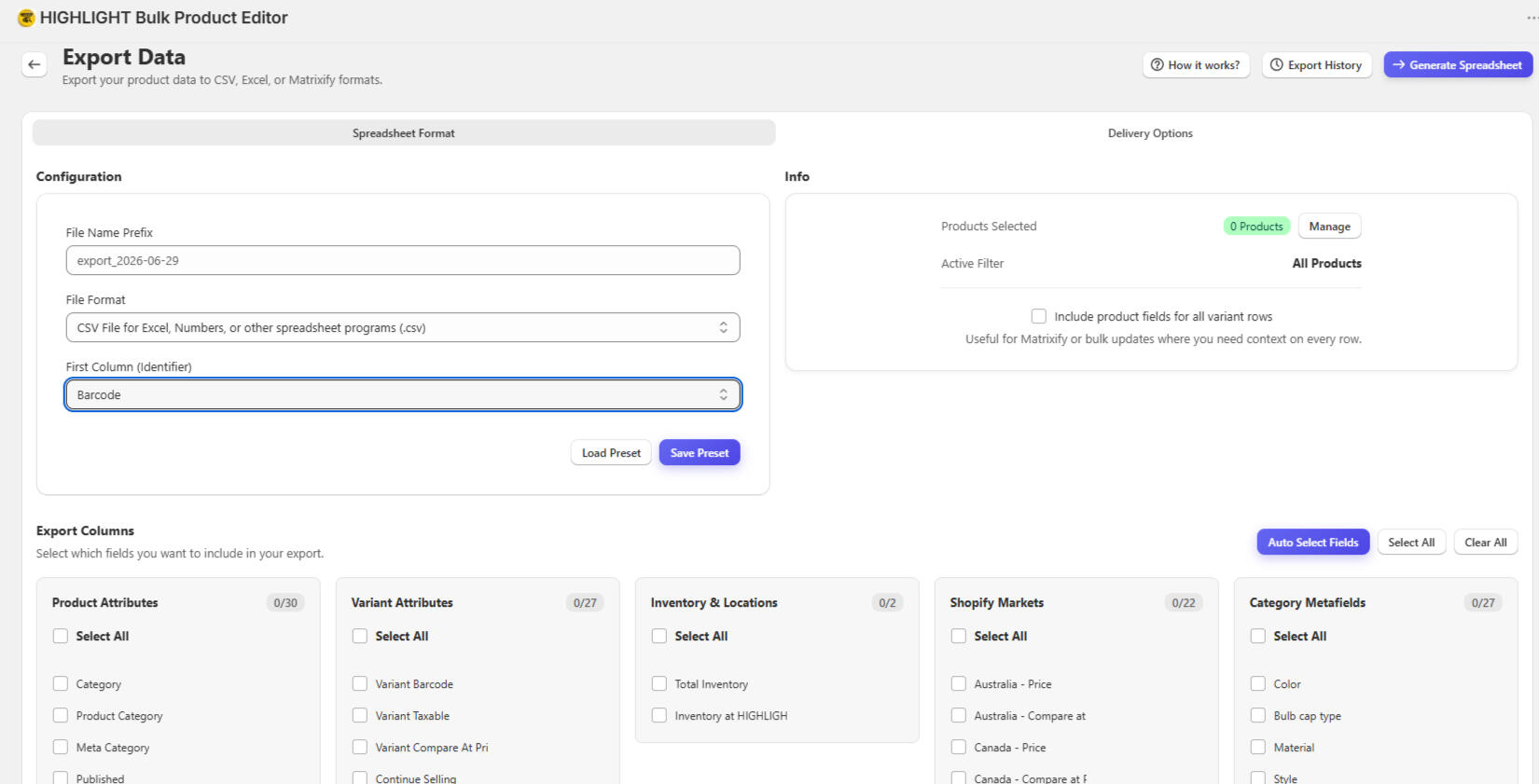
The Export Data page offers a clean and organized space to prepare your product information for download. At the top, you can quickly configure your export settings, from choosing the file format and naming your spreadsheet to selecting which column serves as the main identifier. On the right, a summary panel keeps track of how many products will be included based on your current filters. Below, the Export Columns section unfolds into clear categories, allowing you to handpick exactly which fields — from product attributes and variants to inventory and market-specific data — you want to include. With helpful options like Auto Select Fields and the ability to save your preferred setups, the interface makes exporting your store’s data feel simple, precise, and fully under your control.
Create product in bulk
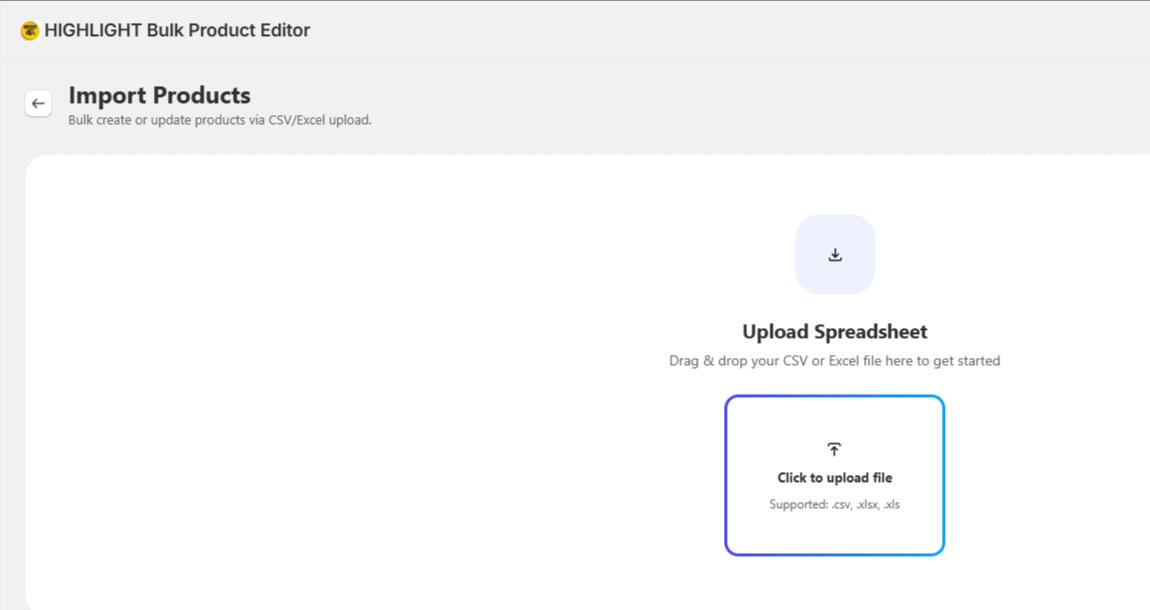
The Import Products page welcomes you with a clean and spacious layout, designed to make bulk uploading feel effortless. invites you to simply drag and drop your CSV or Excel file, or click to select it from your device. With multiple spreadsheet formats, the interface creates a calm and straightforward experience, helping you quickly bring new products into your store.
Automation
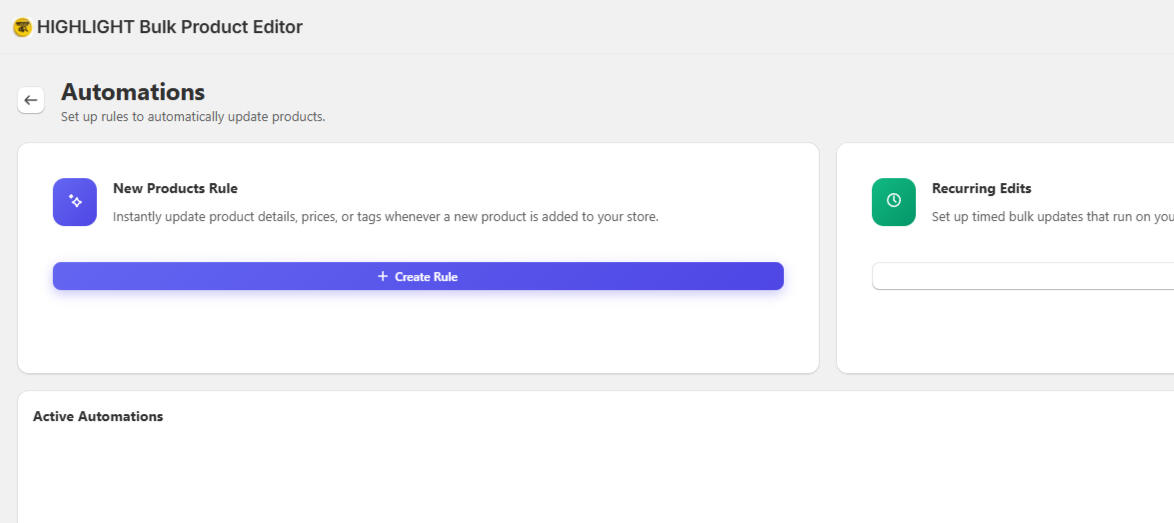
The Automations page provides a clean and reassuring environment where you can set up intelligent rules to manage your store with minimal effort. Whether you want to automatically update product details, prices, or tags whenever new items are added, or schedule recurring bulk edits to keep your catalog accurate and up to date, everything can run smoothly in the background. With no manual work required, you can create rules and schedules that handle the updates for you, helping you maintain a well-organized and consistently updated product catalog with ease.
History
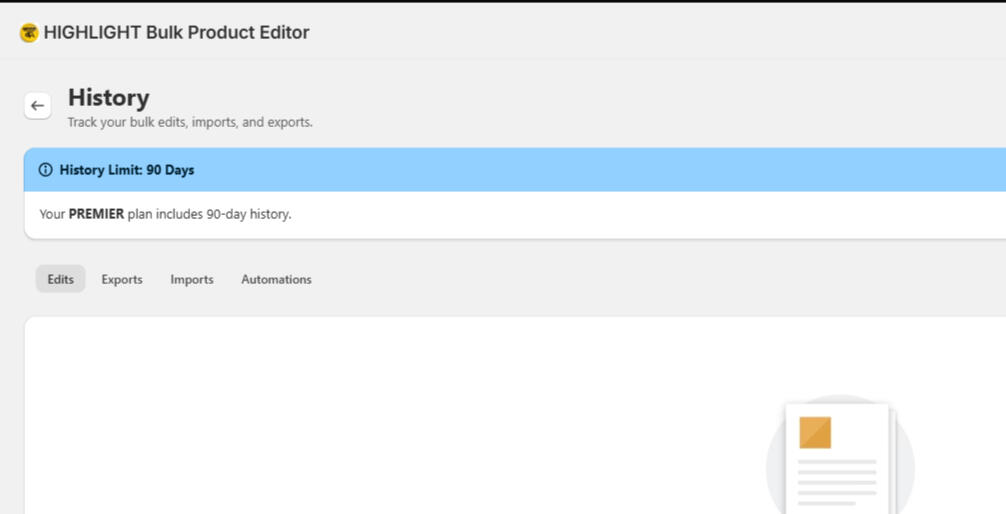
The History page offers a clear and organized space to review your past activity within the app. allowing you to look back at previous operations with ease. ( Edits, Exports, Imports, and Automations history )
Your Plan
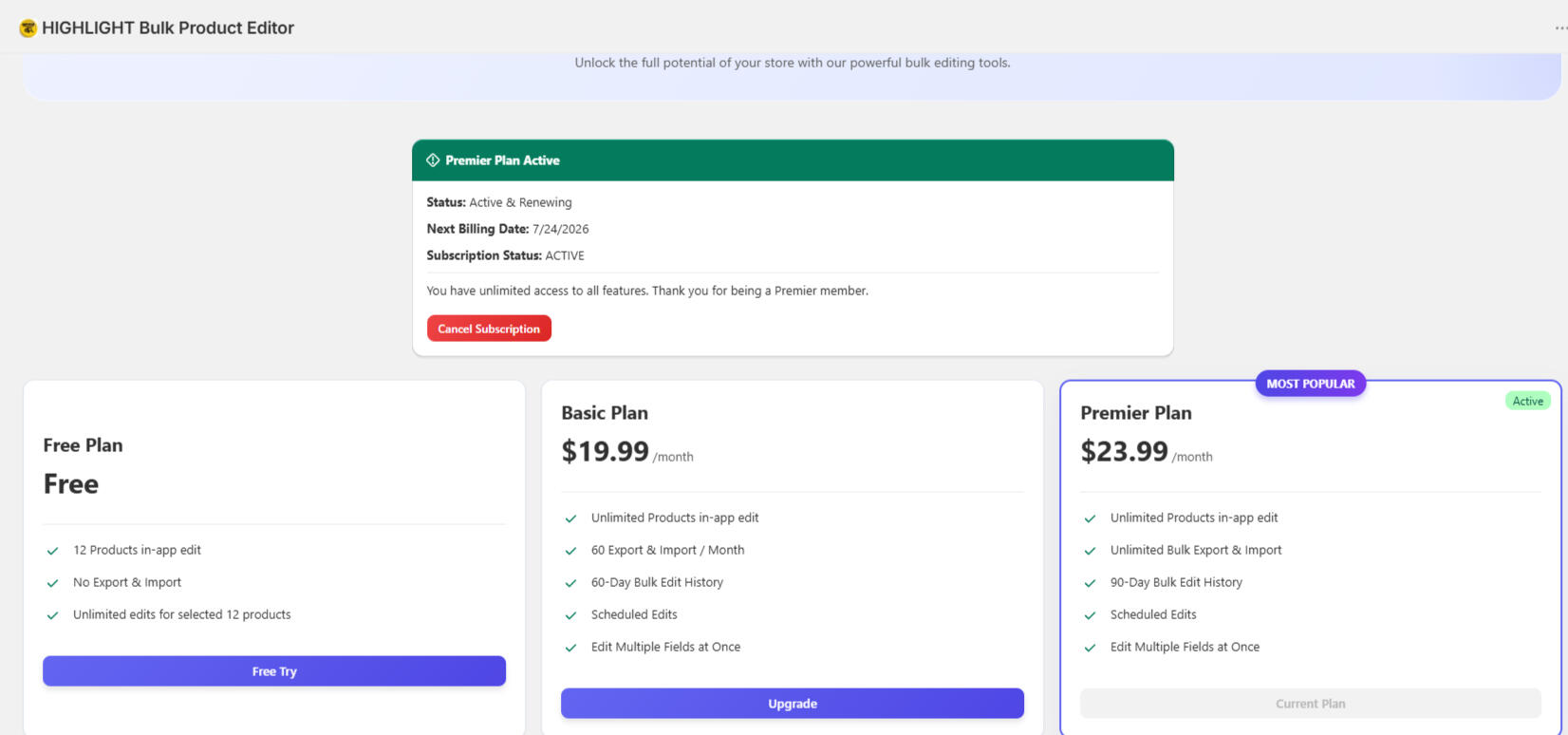
The Plans page presents your current subscription status and available options in a clear and well-organized layout. Each plan is displayed with its features clearly listed, allowing you to easily compare and understand what is included. Whether you are looking for a simple free plan or a more advanced option with unlimited features, everything is shown in a straightforward way so you can choose the plan that best fits your needs. A free trial is always available, giving you the opportunity to experience the service before deciding to upgrade to a higher plan.
Why choose Us ?
Built specifically for Shopify merchants with large catalogs
Designed with safety first: Preview + Undo + History
Free to try forever — no credit card required
Works great for fashion, beauty, home goods, and dropshipping stores
How It Works
Connect your Shopify store (30 seconds)
Select products or use filters
Preview → Edit → Apply or Schedule
Ready to stop manual product updates ?
Join hundreds of Shopify merchants who are saving hours every week.
©Ecom AI Lab. All rights reserved.